Admin role required: Global Admin, Location Admin and Front Desk Admin

Feature availability varies by plan. Check What's in each plan on our pricing page to see if it's included in yours, or talk to our sales team about upgrading.
Visitly makes signing out visitors quick and hassle-free. Visitors can scan the QR code on the iPad to check out automatically. If they forget, you can easily complete their sign-out manually in just a few steps.
Sign Out Visitors
1. Navigate to the Visitor Log
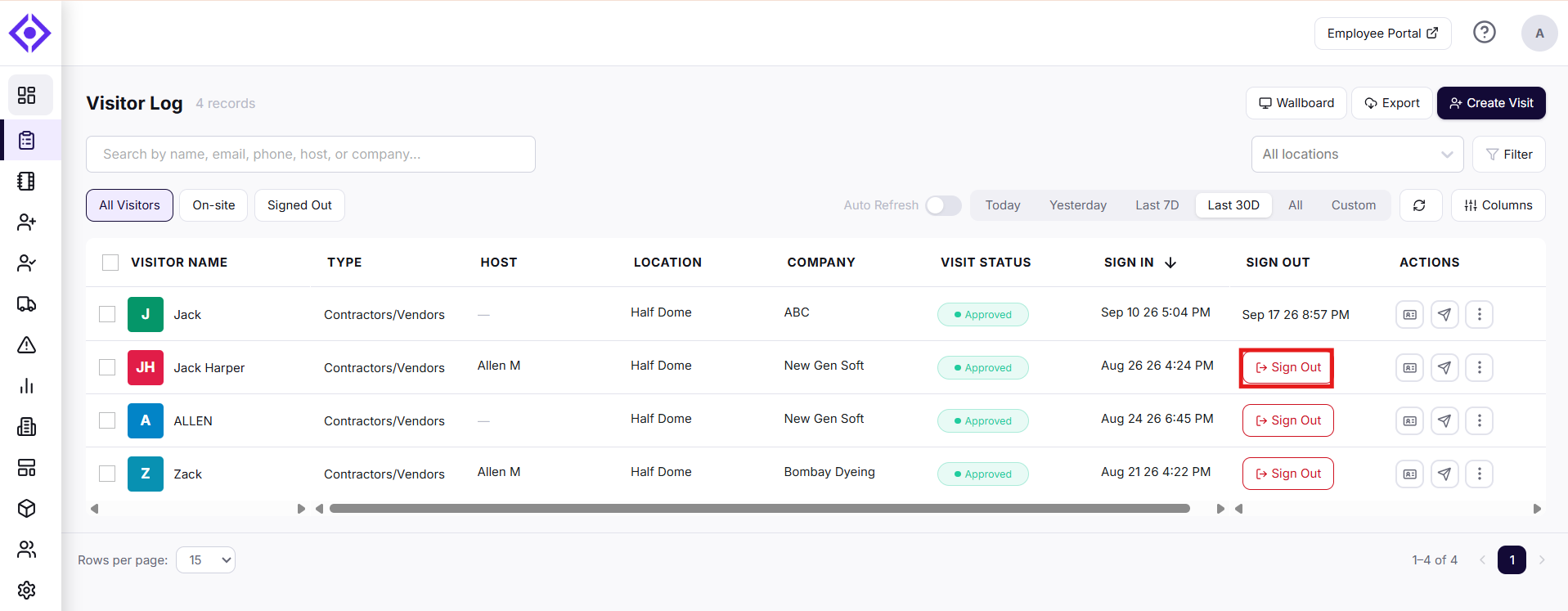
2. Locate the visitor you want to sign out and click the Sign Out button in their row.
3. Complete the sign out details.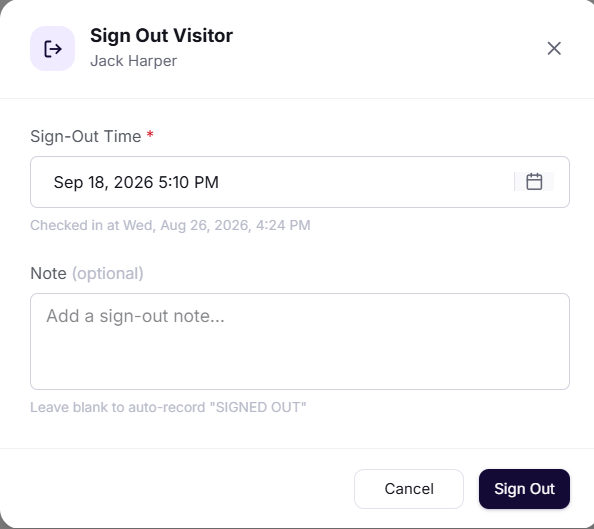
- Specify the visitor’s Sign out time.
- Add any relevant details about the visit in the Note field (optional).
4. Confirm Sign Out.
Once the visitor's sign out is complete their status will be updated in the system.
Download the Sign-out Summary
After a visit is complete, you can download a summary of the sign-out details.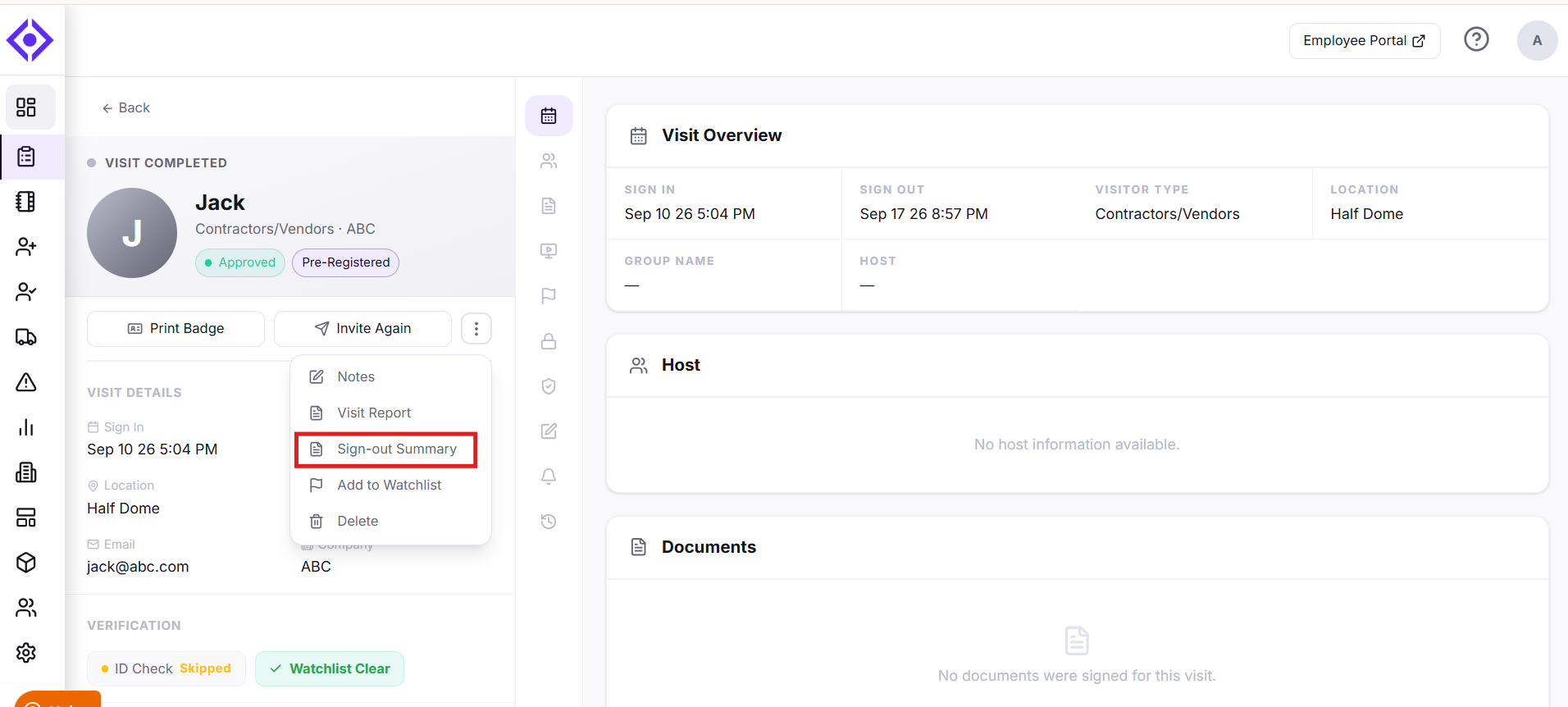
- Navigate to the Visitor Log.
- Click the visitor whose sign-out summary you want.
- Click the three-dot menu next to Invite Again.
- Select Sign-out Summary to download it.
The sign-out summary includes the visitor's sign-in and sign-out times, visitor type, and location.
Need help? Contact the Visitly support team at support@visitly.io
Was this article helpful?
That’s Great!
Thank you for your feedback
Sorry! We couldn't be helpful
Thank you for your feedback
Feedback sent
We appreciate your effort and will try to fix the article