Admin role required: Global Admin, Location Admin and Front Desk Admin

Feature availability varies by plan. Check What's in each plan on our pricing page to see if it's included in yours, or talk to our sales team about upgrading.
Pre-registering visitors with Visitly ensures a smooth check-in process while keeping accurate records of visitor details, visit purposes, and contact information.
Pre-Register A Visitor
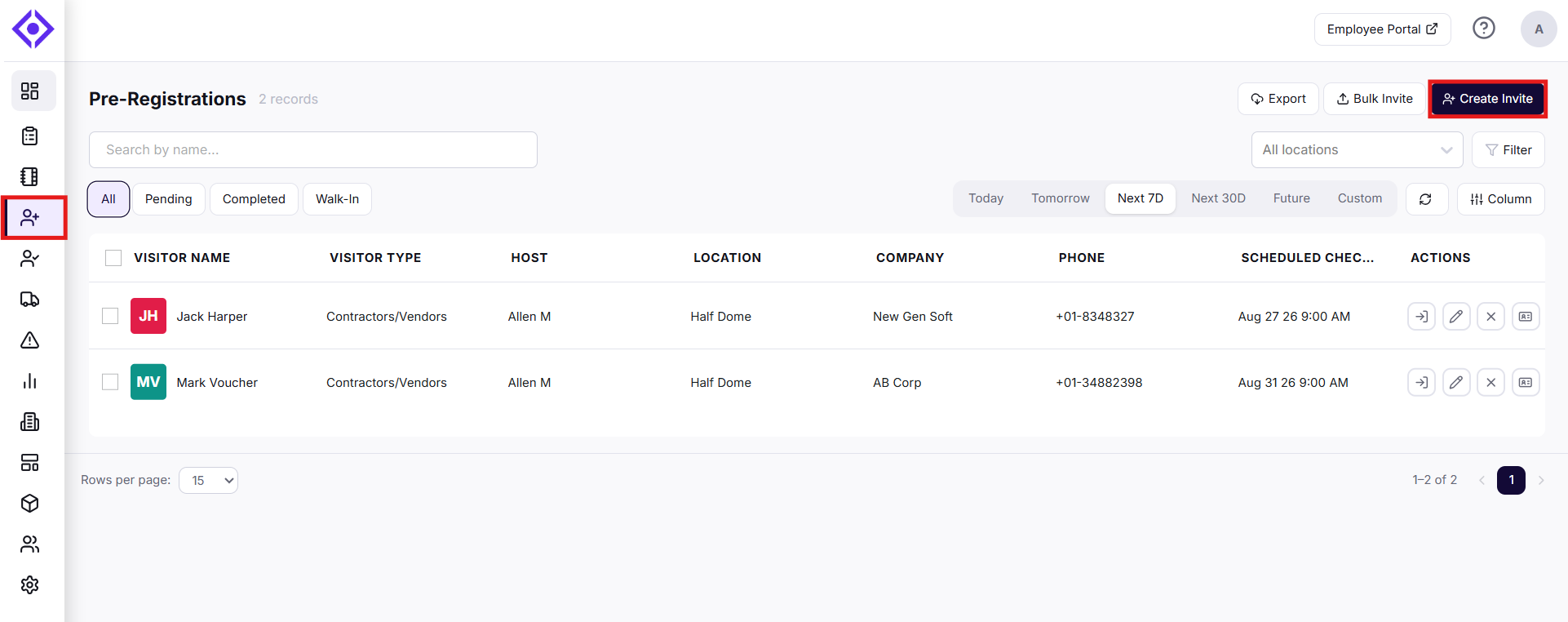
1. Navigate to the Pre-Registration page.
2. Click the Create Invite button to create a new pre-registration.
3. Fill Out Pre-Registration Details and enter visitor information.
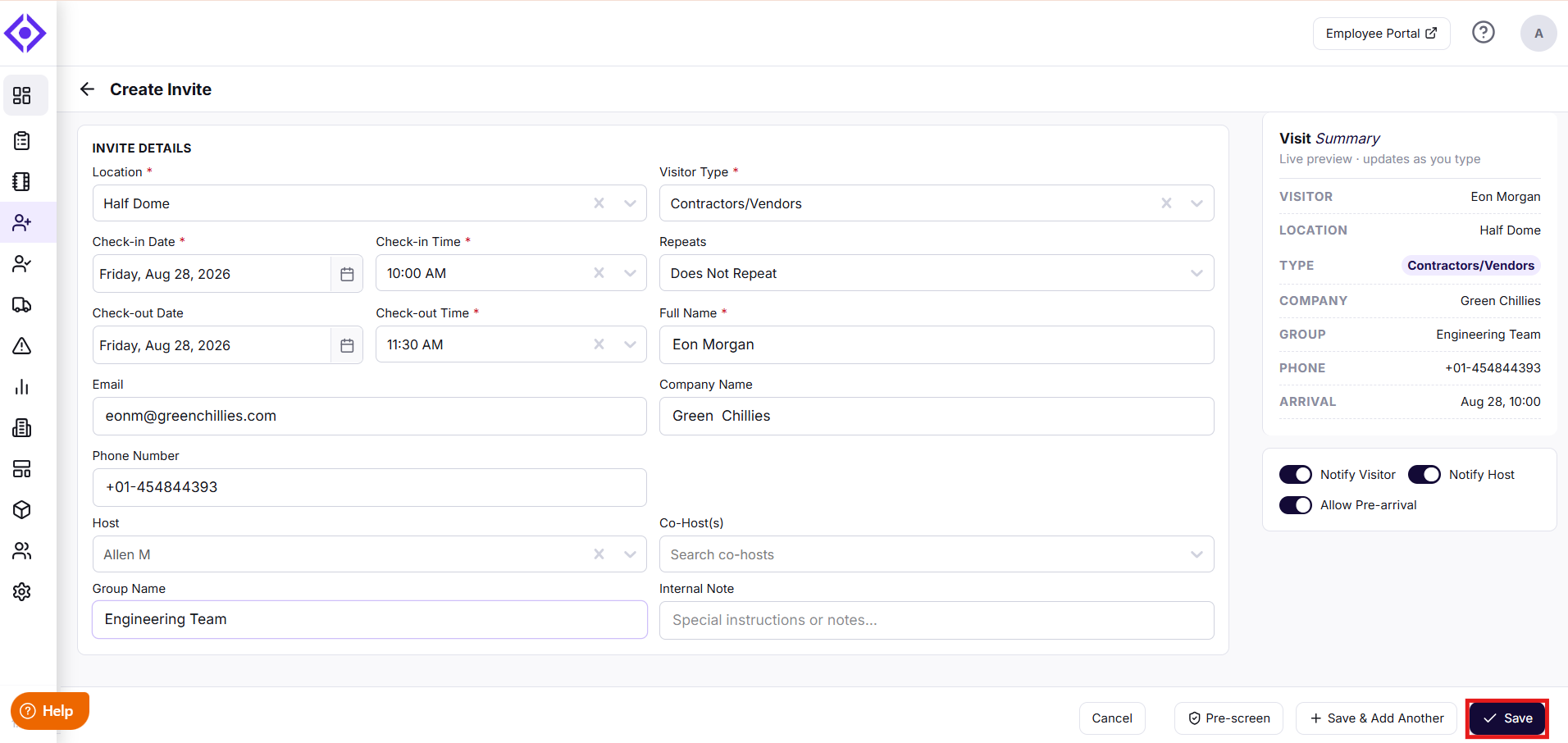
4. Specify the visitor's expected Check In and Check Out Time.
5. Choose Notification preferences for the visitor and the host.
6. Enable Allow Pre-arrival to allow visitors to submit information before arrival.
7. Click Save to add the visitor to the Pre-Registration list.
Need help? Contact the Visitly support team at support@visitly.io.
Was this article helpful?
That’s Great!
Thank you for your feedback
Sorry! We couldn't be helpful
Thank you for your feedback
Feedback sent
We appreciate your effort and will try to fix the article