Learn how to approve or decline visitor access to your premises with Visitly.
Admin role required: Global Admin, Location Admin and Front Desk Admin

Feature availability varies by plan. Check What's in each plan on our pricing page to see if it's included in yours, or talk to our sales team about upgrading.
Maintain control over on-site access and ensure a secure environment with Visitly. Manage visitor access by approving or declining their entry, ensuring your premises remain secure and compliant.
Approve Or Decline A Visitor's Entry
1. Navigate to the Visitor Log from the Visitly dashboard.
2. Select the Visitor whose access you want to review.
3. Approve or decline entry by selecting the Approve or Decline option.
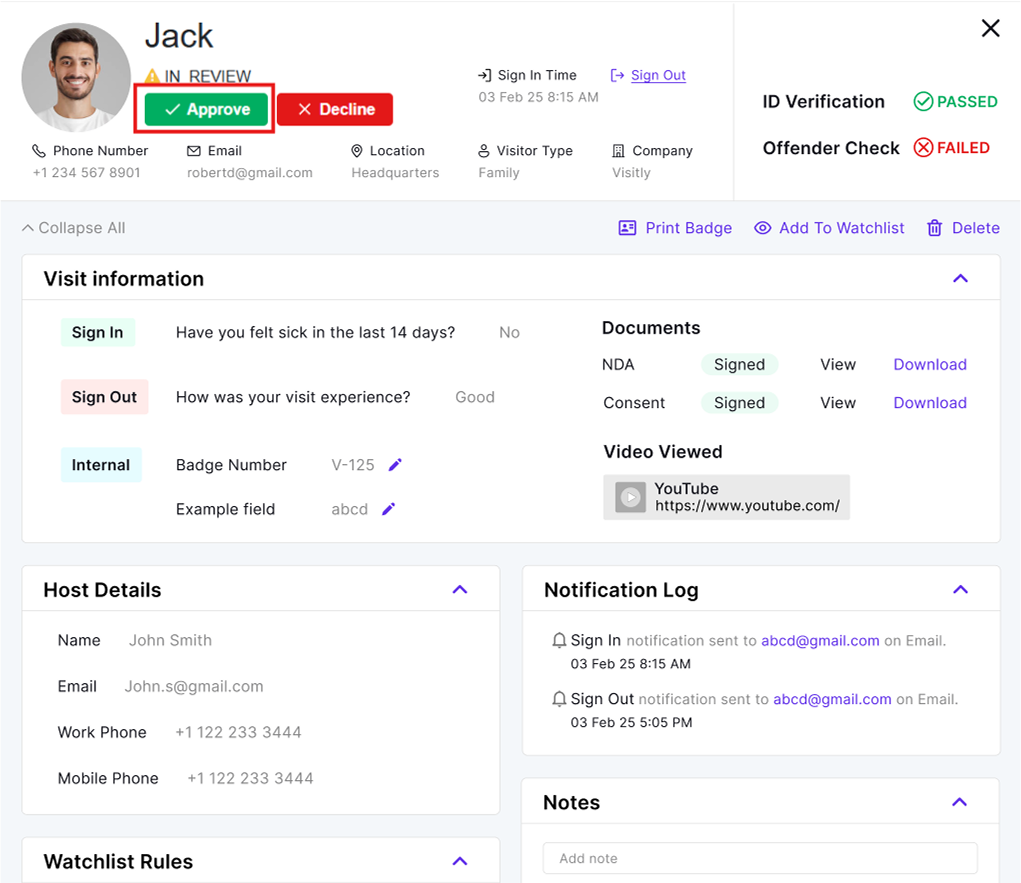
After your selection, the visitor's status will be instantly updated in the system.
Was this article helpful?
That’s Great!
Thank you for your feedback
Sorry! We couldn't be helpful
Thank you for your feedback
Feedback sent
We appreciate your effort and will try to fix the article