Your Profile is where you can view your personal details within Visitly and keep your account secure.
Your Profile Details
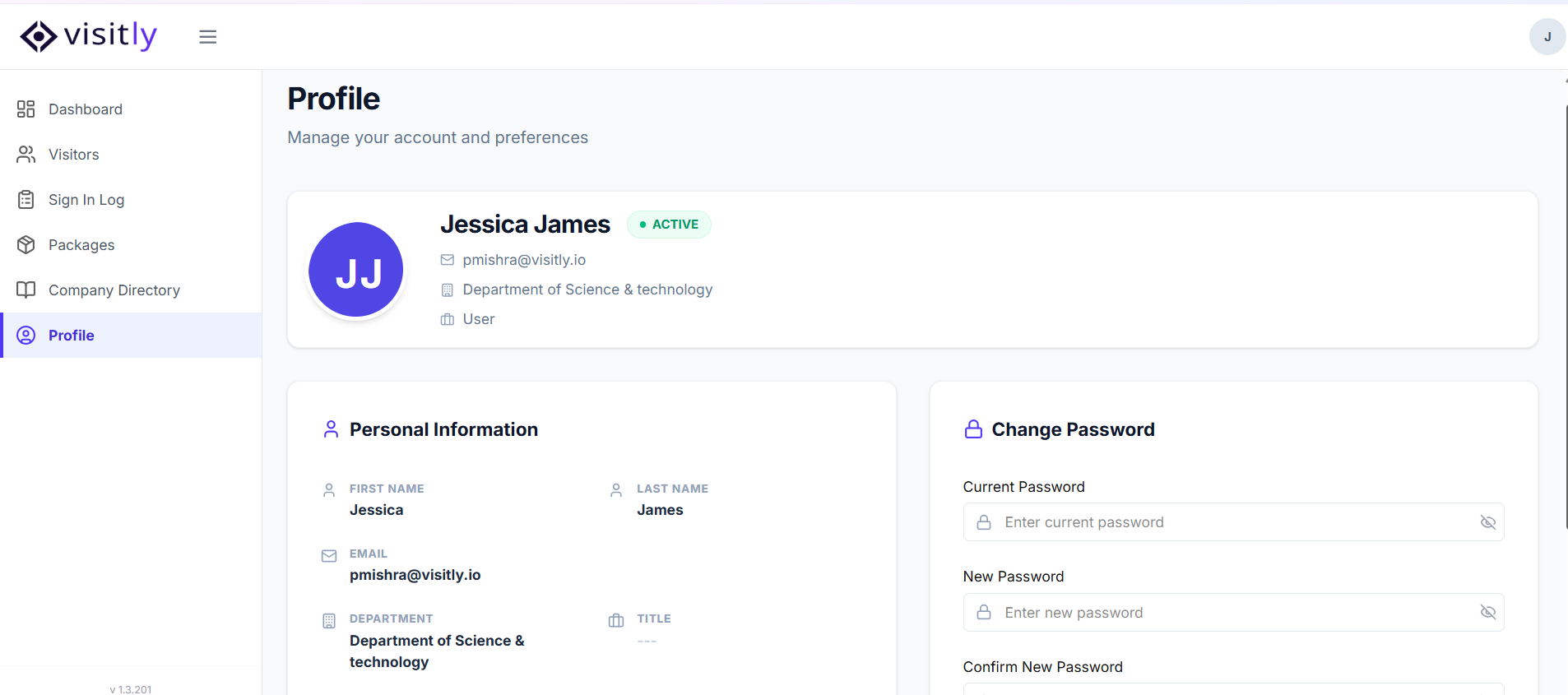
Your profile displays your personal information including your name, email, job title, department, phone, and location. You can update your profile photo at any time by clicking on your current photo and uploading a new one.
Changing Your Password
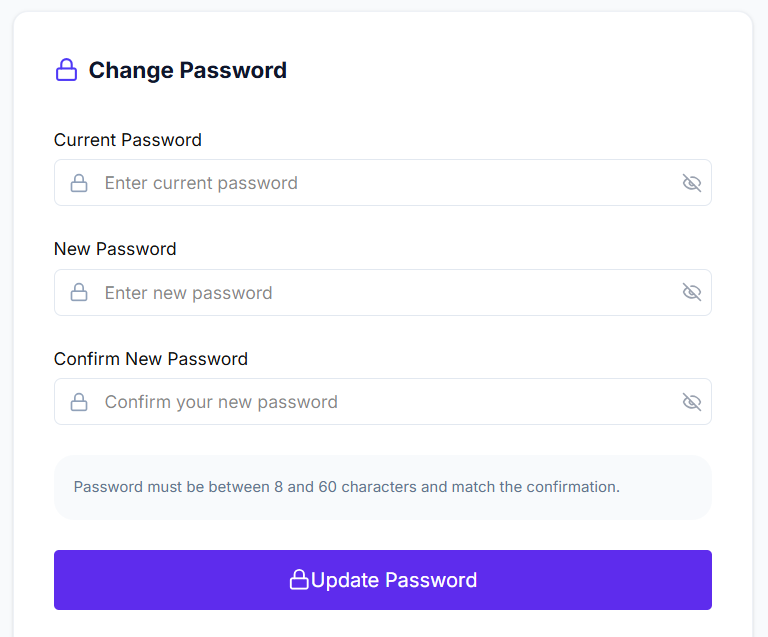
To update your password:
1. Click Change Password.
2. Enter your current password.
3. Enter your new password and confirm it.
4. Click Save to apply the changes.
For any questions, feel free to contact our support team.
Was this article helpful?
That’s Great!
Thank you for your feedback
Sorry! We couldn't be helpful
Thank you for your feedback
Feedback sent
We appreciate your effort and will try to fix the article