The Company Directory gives you a quick and easy way to find anyone in your organization. Whether you're looking up a colleague's contact details or just need to put a face to a name, it's all here in one place.
What You'll See
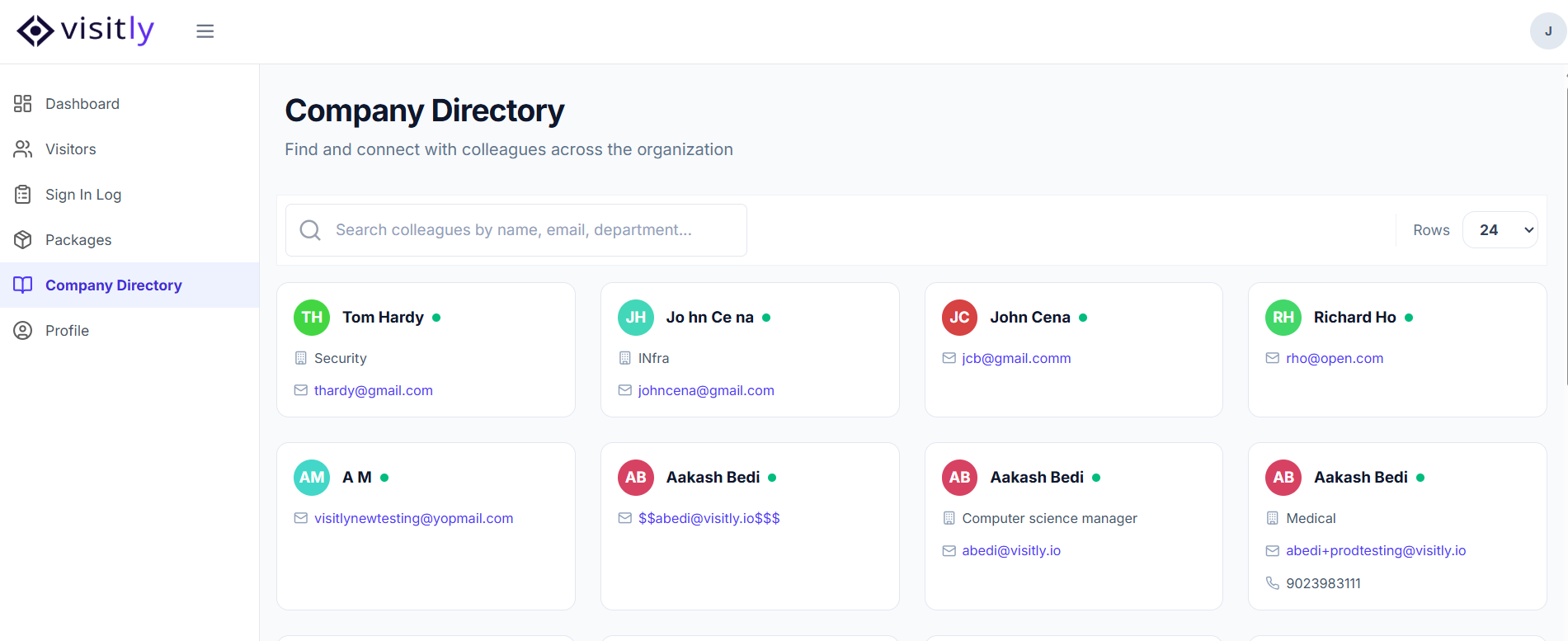
Each person in the directory appears as a card showing:
- Photo
- Name
- Job Title
- Department
- Location
- Employee ID
- Work Phone
Search
You can search the directory by name or email to quickly find the person you're looking for.
Viewing Someone's Details
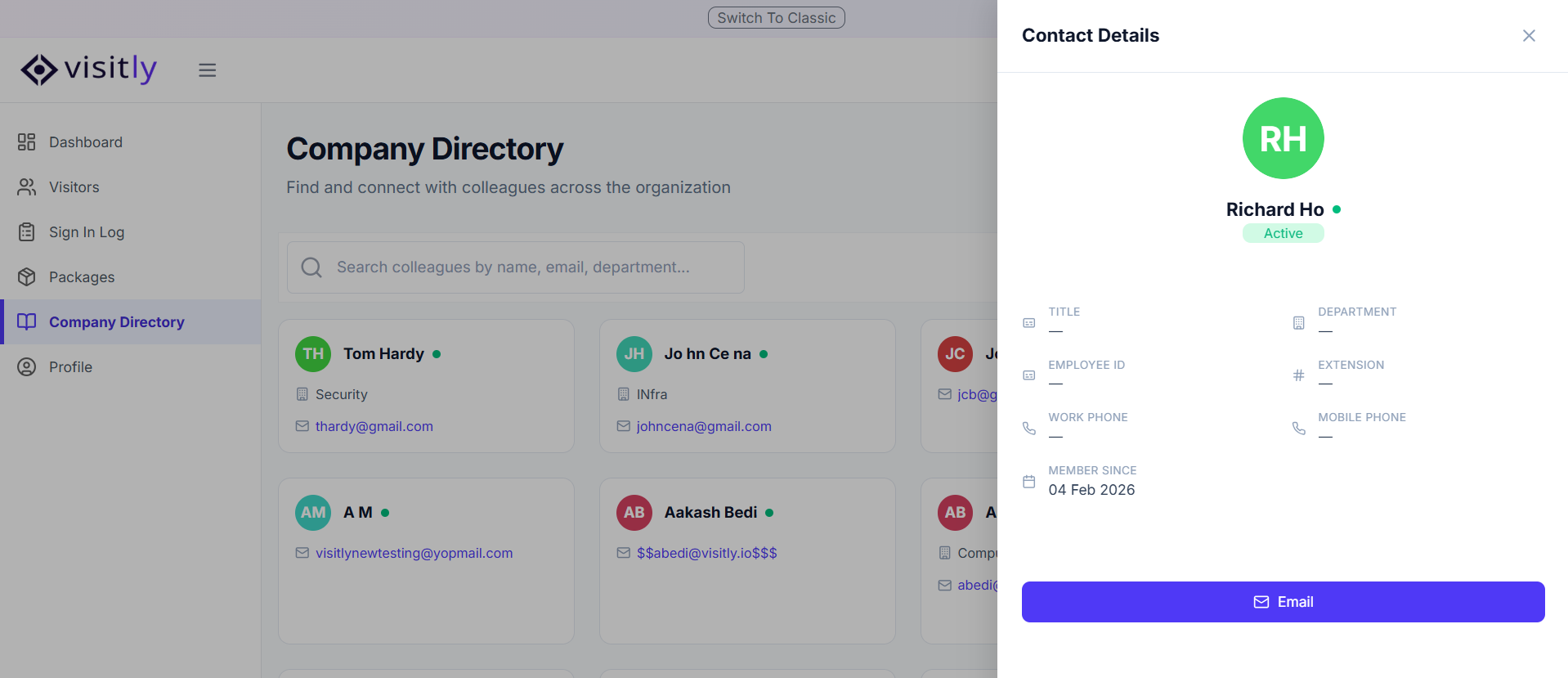
Click on any card to open that person's details page, where you can see their full information.
From the details page, click the Email button to reach out — this will open your default email app with their address pre-filled, ready for you to send a message.
Was this article helpful?
That’s Great!
Thank you for your feedback
Sorry! We couldn't be helpful
Thank you for your feedback
Feedback sent
We appreciate your effort and will try to fix the article