Admin role required: Global Admin and Location Admin

Feature availability varies by plan. Check What's in each plan on our pricing page to see if it's included in yours, or talk to our sales team about upgrading.
Overview:
Video Validity lets admins set a time window during which a returning visitor who has already watched a required video will not be shown that video again. Once the validity period has passed, the visitor will be prompted to watch the video on their next check-in.
How it works:
When a visitor watches a video during check-in, Visitly records the timestamp. On subsequent check-ins within the expiry window, the video step is automatically skipped for that visitor. Once the expiry window has elapsed, the visitor will see the video again on their next check-in.
Example:
You set a 30-day Video Validity for your Guest visitor type. A visitor named Alex checks in on 1 April and watches the safety briefing video. When Alex checks in again on 15 April, the video is skipped. When Alex returns on 5 May (35 days later), they are shown the video again.
Setting up Video Validity:
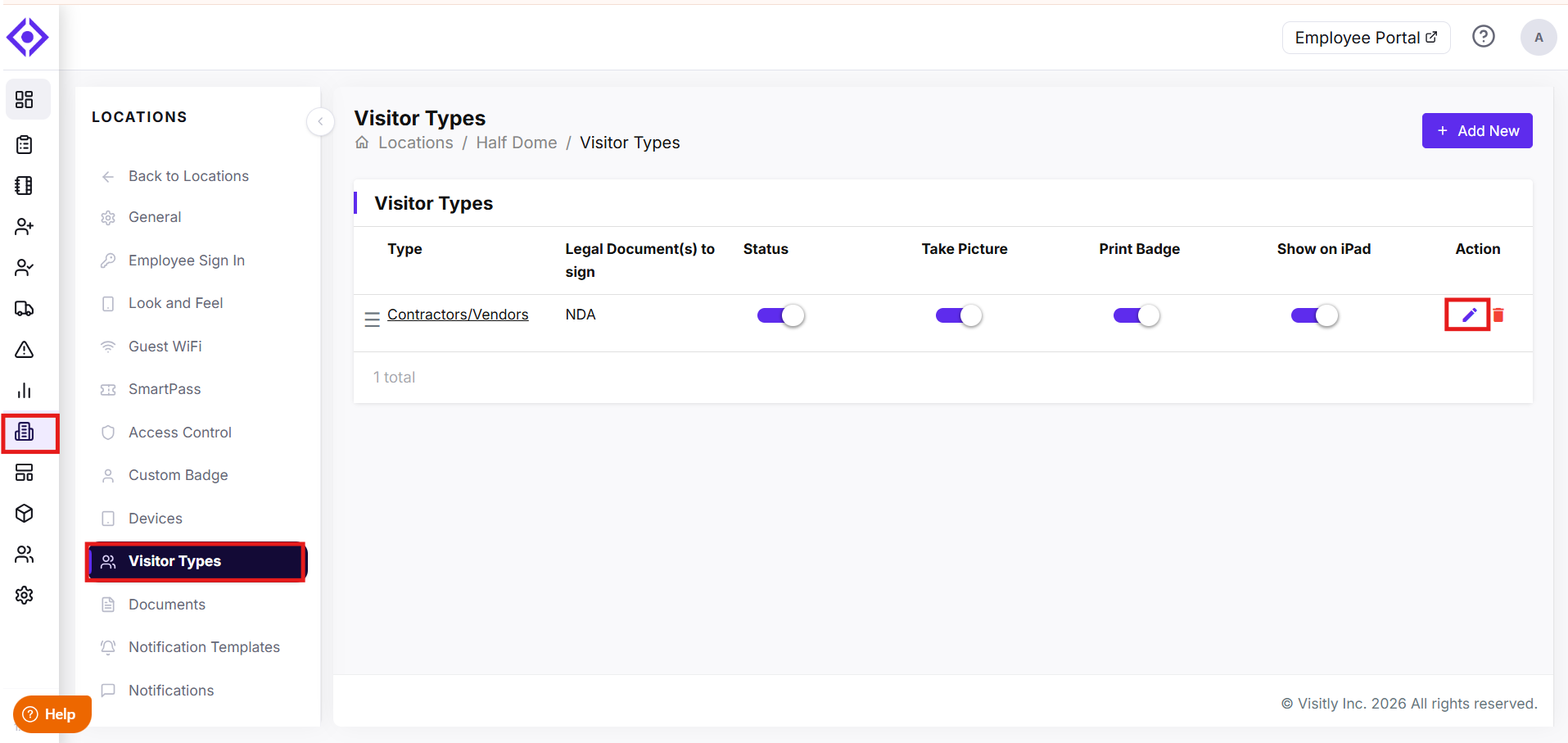
- In your admin dashboard, go to Locations. Select the location you want to configure. Click on Edit.
- Go to Visitor Types, Select the Visitor type.
- Under Video Settings, Add Video Validity. Video Validity is added in days. The maximum limit to set up video validity is 365 days.
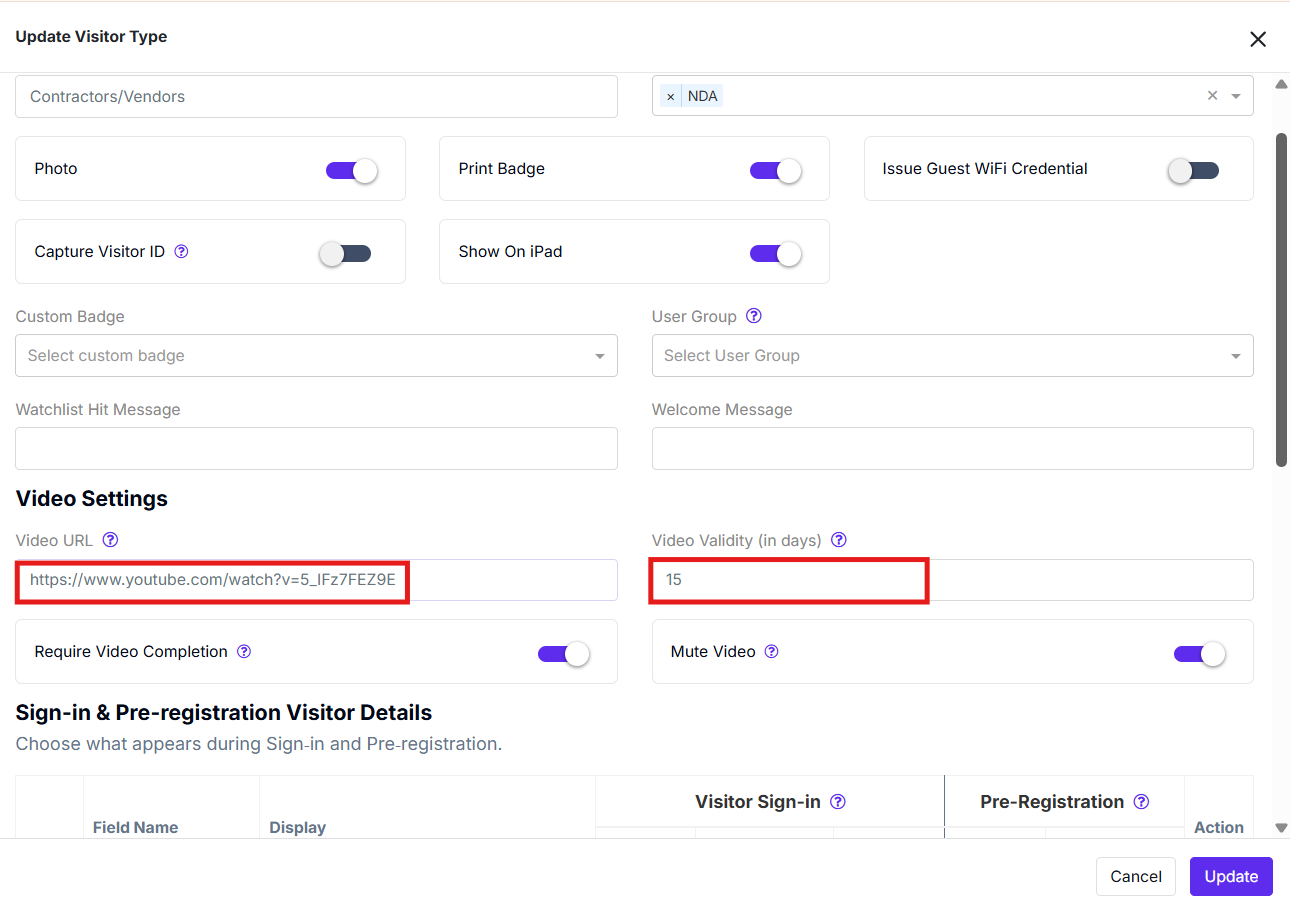
- Click on Update to save your changes.
Tip: Settings are per visitor type. Repeat these steps for each visitor type that needs its own expiry rule.
Note: In the same Video settings panel, you can enable the Required Video Completion toggle. When this is on, visitors must watch the video all the way through before check-in is allowed to proceed.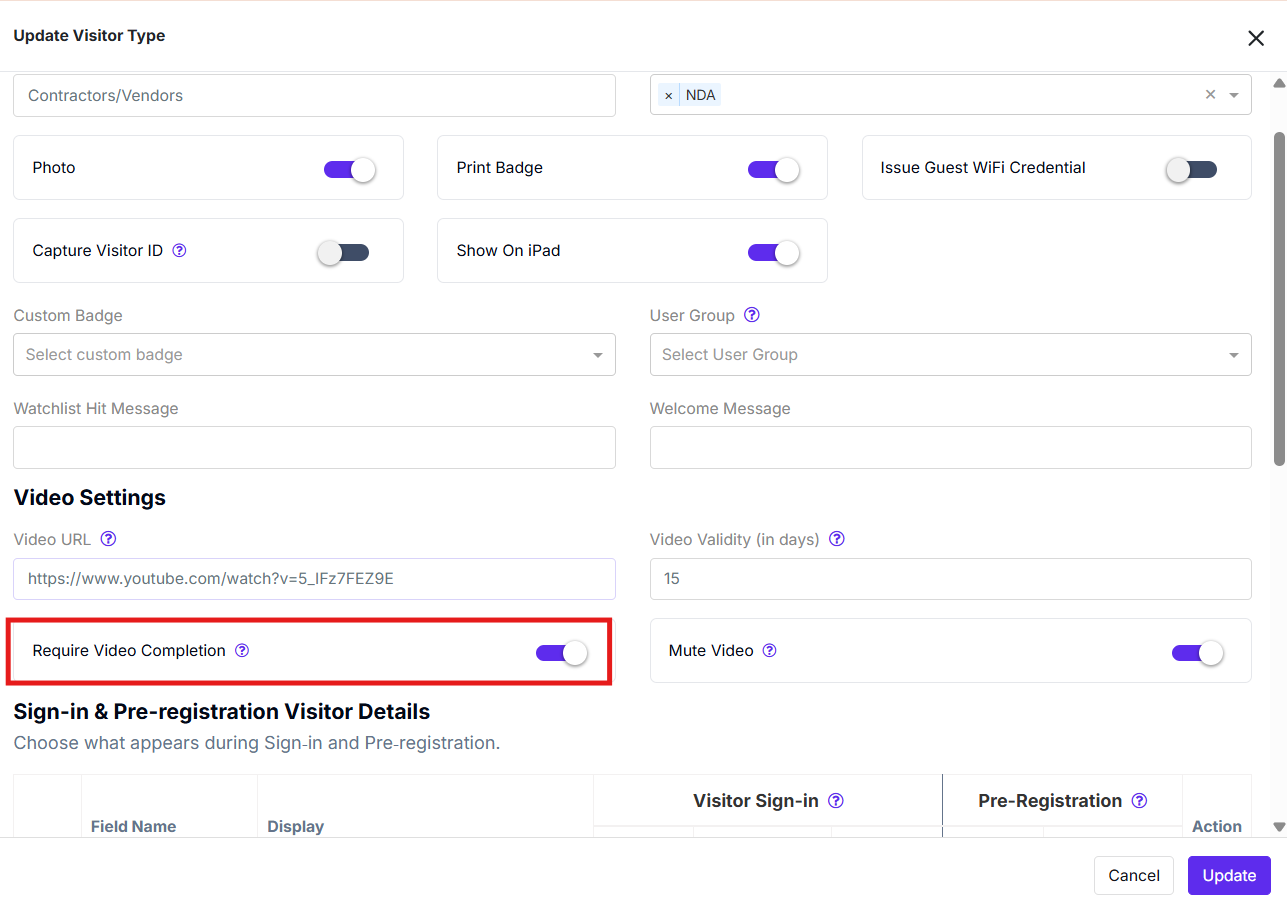
Visitors View on Kiosk:
Before Finishing the Video:
The visitor is not allowed to move ahead with the check-in process if he has not finished watching the video.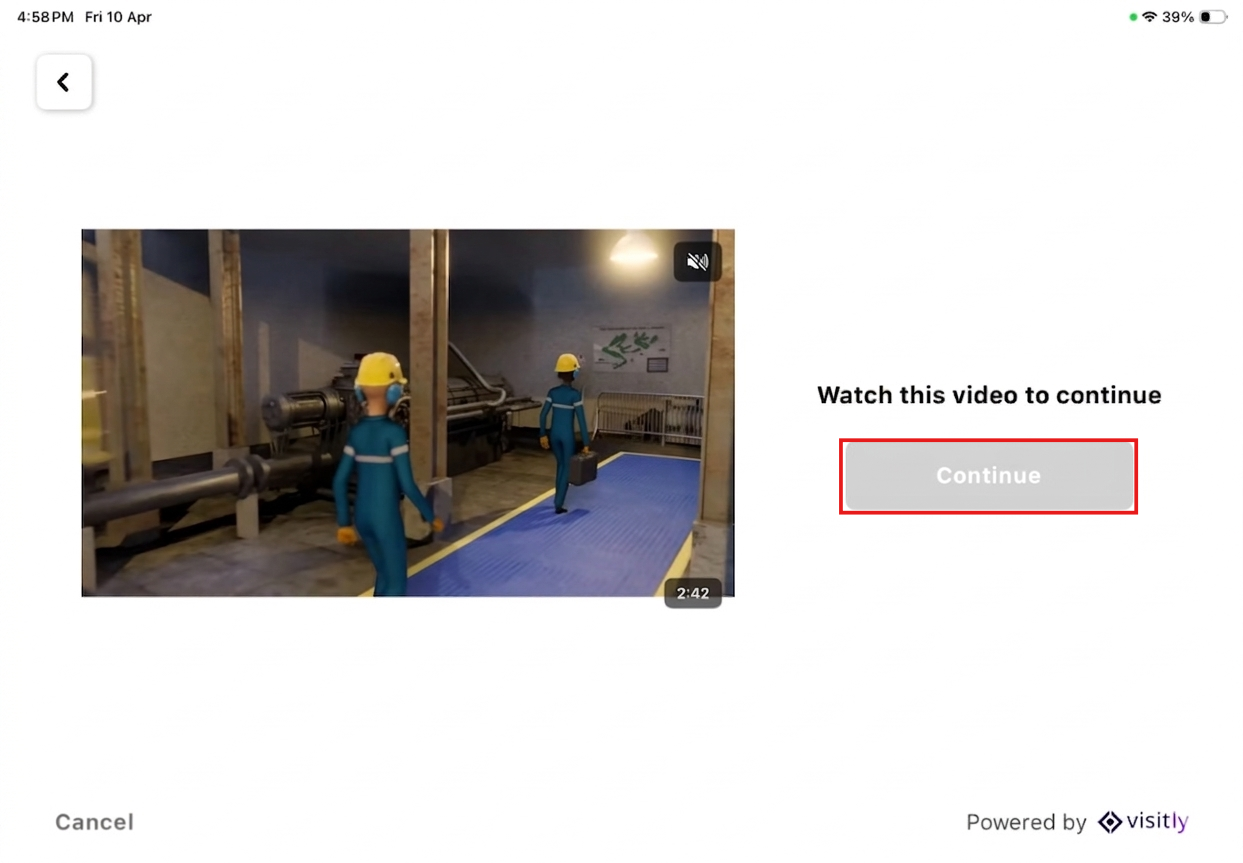
After Finishing the Video:
Once he finishes watching the video, he can go ahead with the check-in process.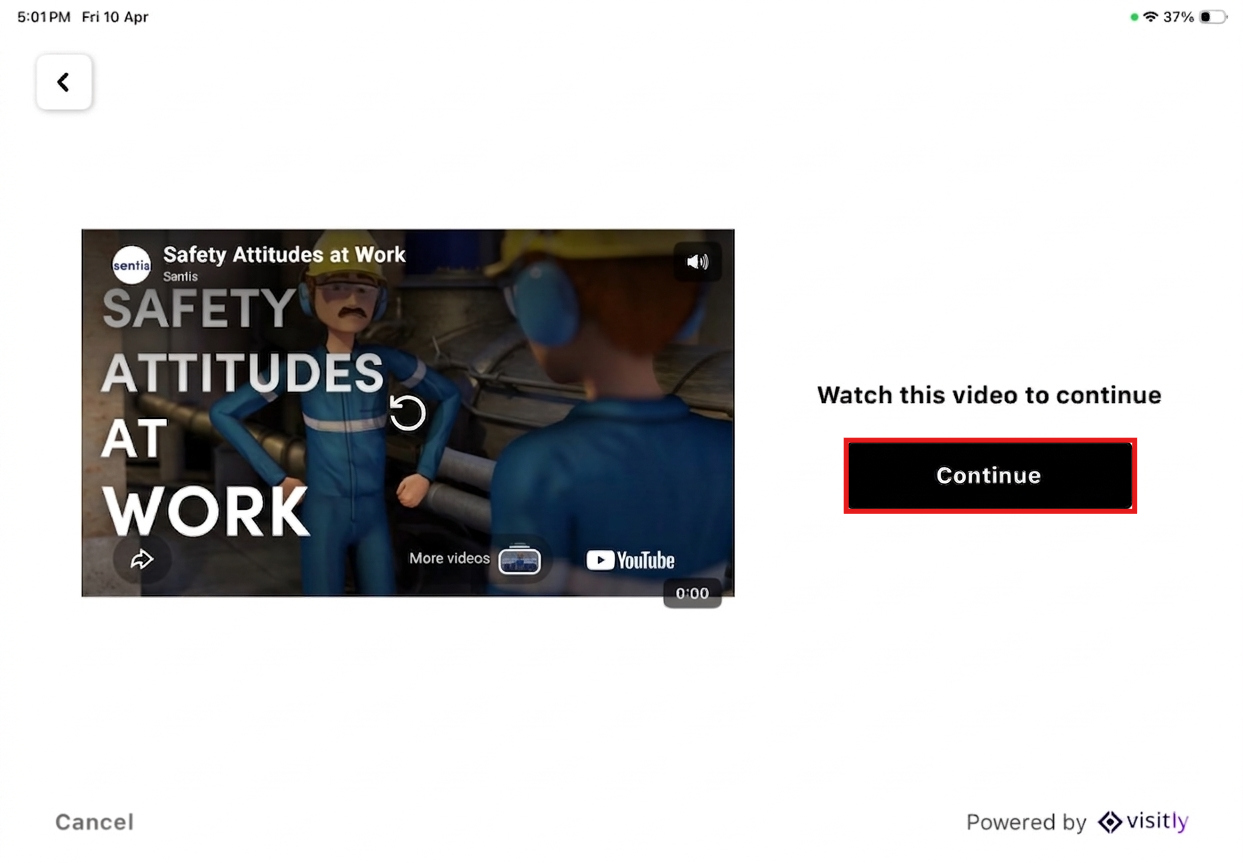
For further assistance, please reach out to Visitly Support.
Was this article helpful?
That’s Great!
Thank you for your feedback
Sorry! We couldn't be helpful
Thank you for your feedback
Feedback sent
We appreciate your effort and will try to fix the article