Admin role required: Global Admin and Location Admin

Feature availability varies by plan. Check What's in each plan on our pricing page to see if it's included in yours, or talk to our sales team about upgrading.
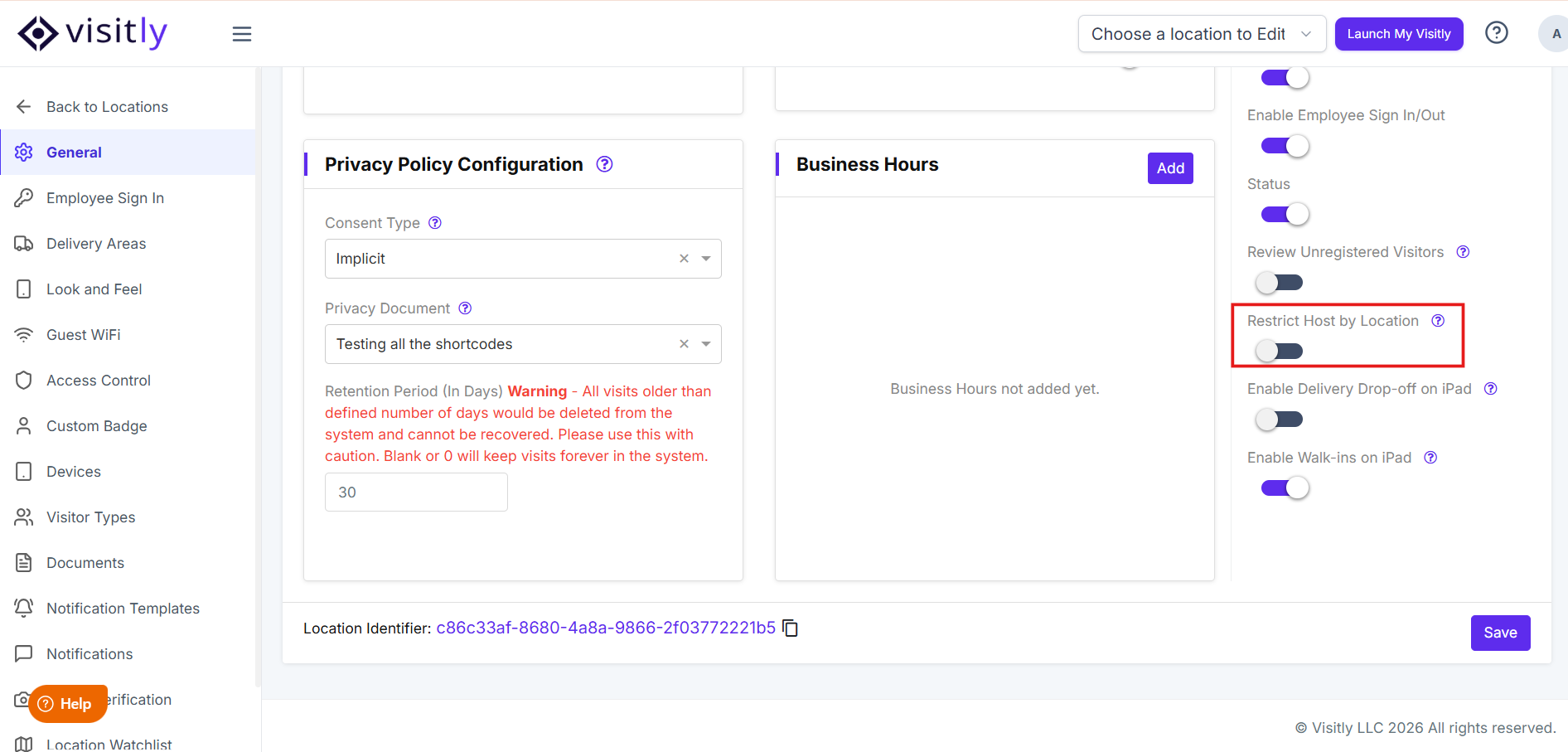
The Restrict Host by Location feature allows organizations to control which hosts or users are visible based on location. When enabled, it ensures that users only see hosts assigned to their specific location, improving data relevance and access control.
How This Feature Works
When the setting is enabled:
Search results are limited to hosts/users assigned to your location
Users from other locations will not appear in search
This applies across all areas where host/user selection is required
When the setting is disabled:
Users can search and view all hosts/users across locations
No location-based filtering is applied
Steps:
Login to your dashboard
Go to Locations > Edit > Restrict Hosts by Location > Enable it > Save
When Should You Use This Feature?
This feature is useful if:
Your organization operates across multiple locations
You want to ensure users only interact with relevant local hosts
You need to maintain location-based access control
Common Scenarios
1. Unable to Find a Host/User in Search
If you cannot find a specific host or user:
They may be assigned to a different location
The Restrict Host by Location setting may be enabled
What to check:
Confirm your current location
Verify the host/user’s assigned location
Check with your admin if the setting is enabled
2. Need Access to All Locations
If your role requires visibility across locations:
Contact your admin to:
Disable the setting, or
Update your access or location assignment
Was this article helpful?
That’s Great!
Thank you for your feedback
Sorry! We couldn't be helpful
Thank you for your feedback
Feedback sent
We appreciate your effort and will try to fix the article