Admin role required: Global Admin, Location Admin, Front Desk Admin and Evacuation Manager

Feature availability varies by plan. Check What's in each plan on our pricing page to see if it's included in yours, or talk to our sales team about upgrading.
Need to keep a physical record of your evacuation data? With Visitly, you can easily print detailed evacuation reports for compliance documentation, audits, or offline record-keeping.
How To Print An Evacuation Report
1. Go to the Evacuation & Emergencies from the left navigation bar .
2. Select a Location and click View live Roster.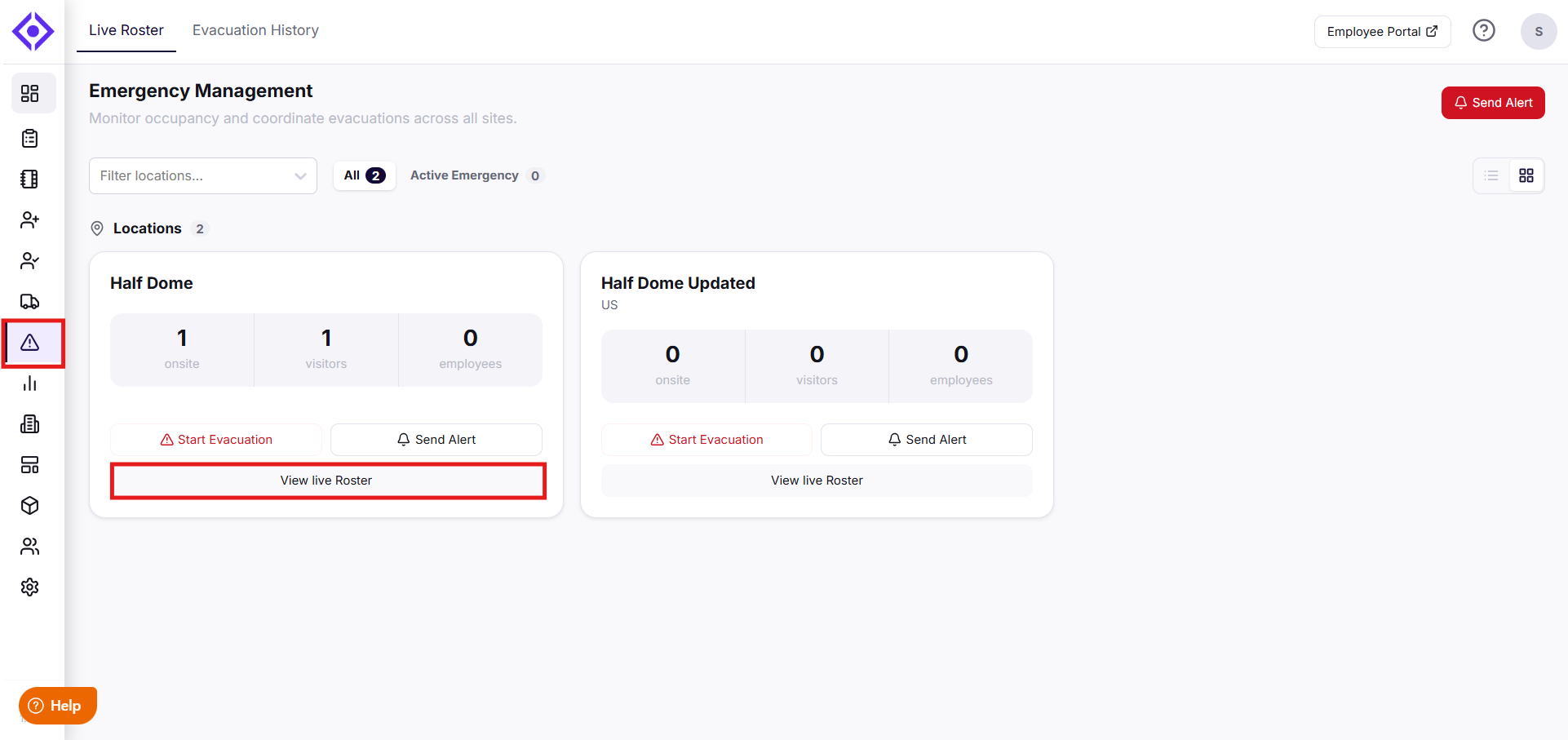
3. Click Print Report to generate a printed record of the evacuation history.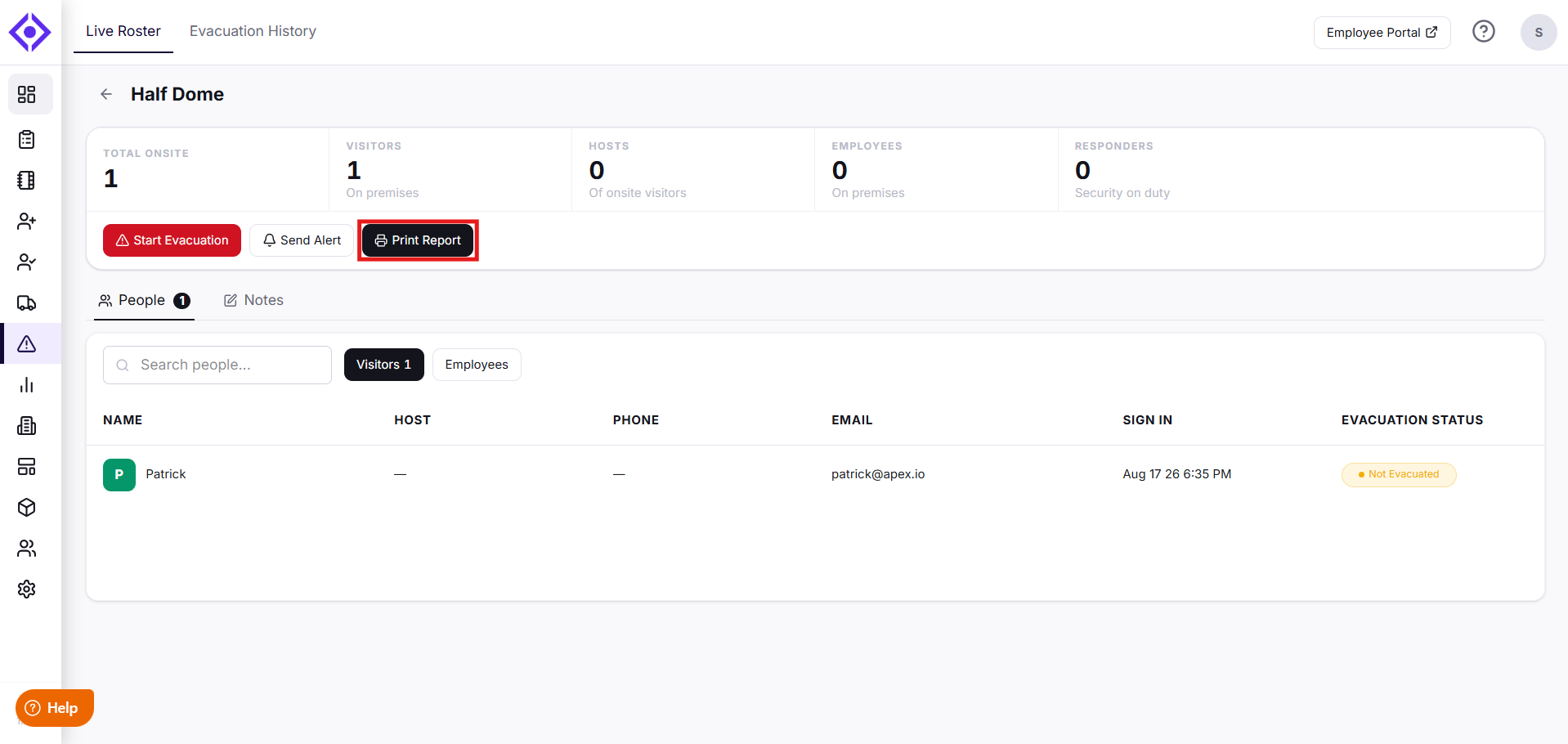
Note: This report reflects live data, so it will look different before and after an evacuation. Once an evacuation ends, everyone on the roster is automatically signed out, and the report gets updated accordingly.
By printing evacuation reports, you can maintain a complete, compliant record of your emergency response and ensure your organization is always prepared for safety reviews.
Need help? Contact the Visitly support team at support@visitly.io
Was this article helpful?
That’s Great!
Thank you for your feedback
Sorry! We couldn't be helpful
Thank you for your feedback
Feedback sent
We appreciate your effort and will try to fix the article