Easily view, edit, or remove your Delivery Areas as your workplace needs grow.
Admin role required: Global Admin, Location Admin, Front Desk Admin and Delivery Manager

Feature availability varies by plan. Check What's in each plan on our pricing page to see if it's included in yours, or talk to our sales team about upgrading.
Manage Delivery Areas
1. Log in to your Visitly Dashboard.
2. Click Locations > Edit Location.
3. Select the Delivery Area tab in the left-hand menu
4. You’ll see a list of all the Delivery Areas for your location.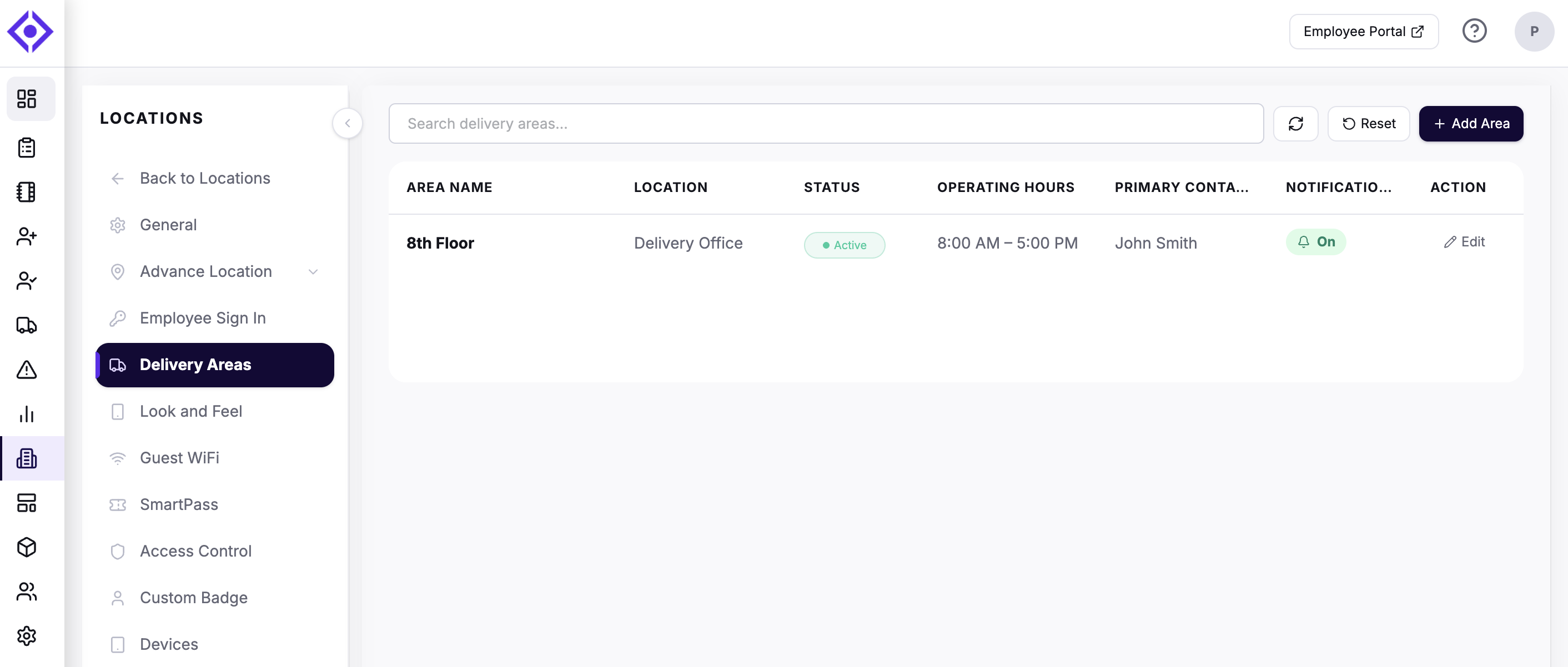
5. Click an area to:
- Edit Details (name, address, operating hours)
- Add new delivery areas
- Activate & Deactivate area
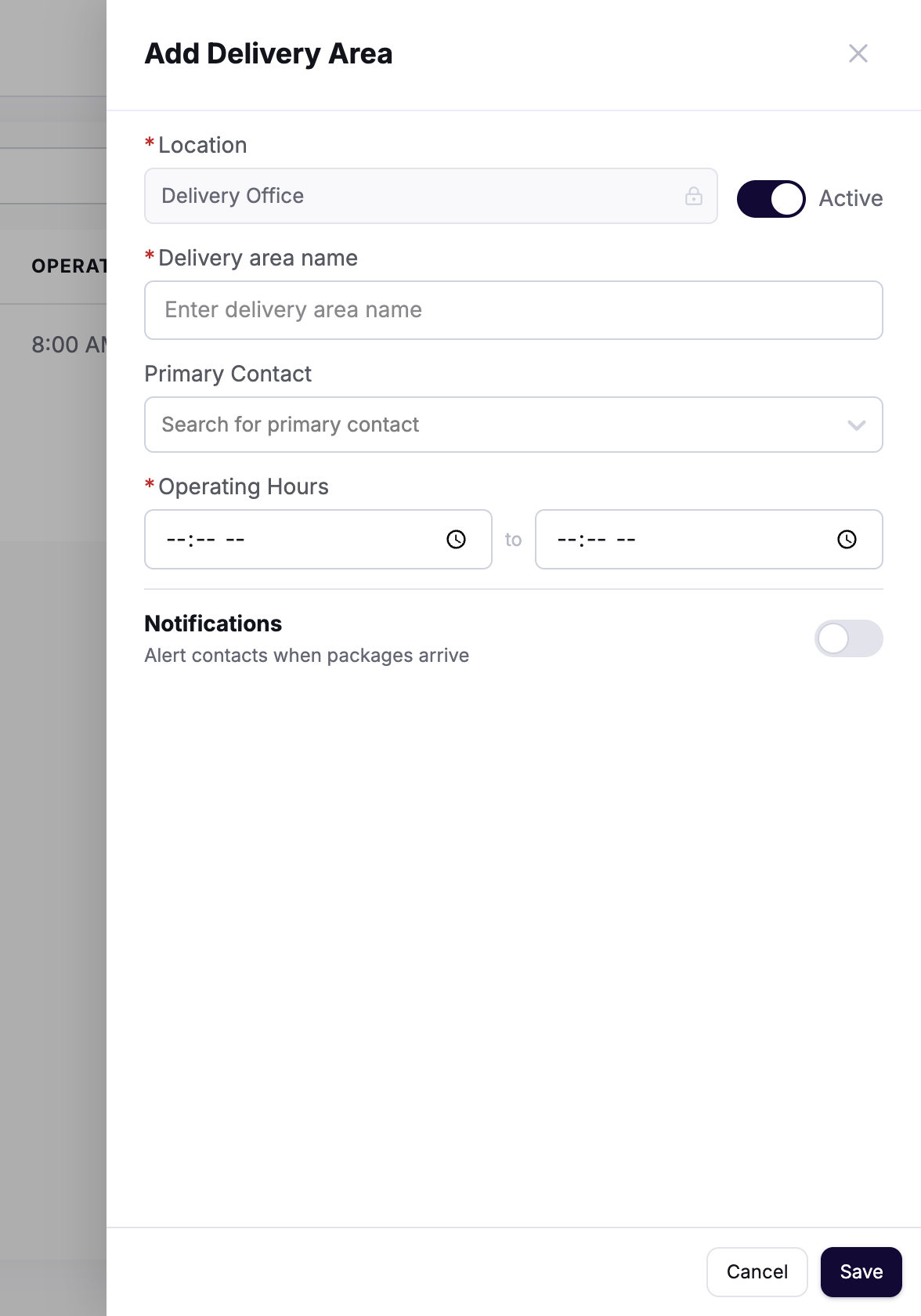
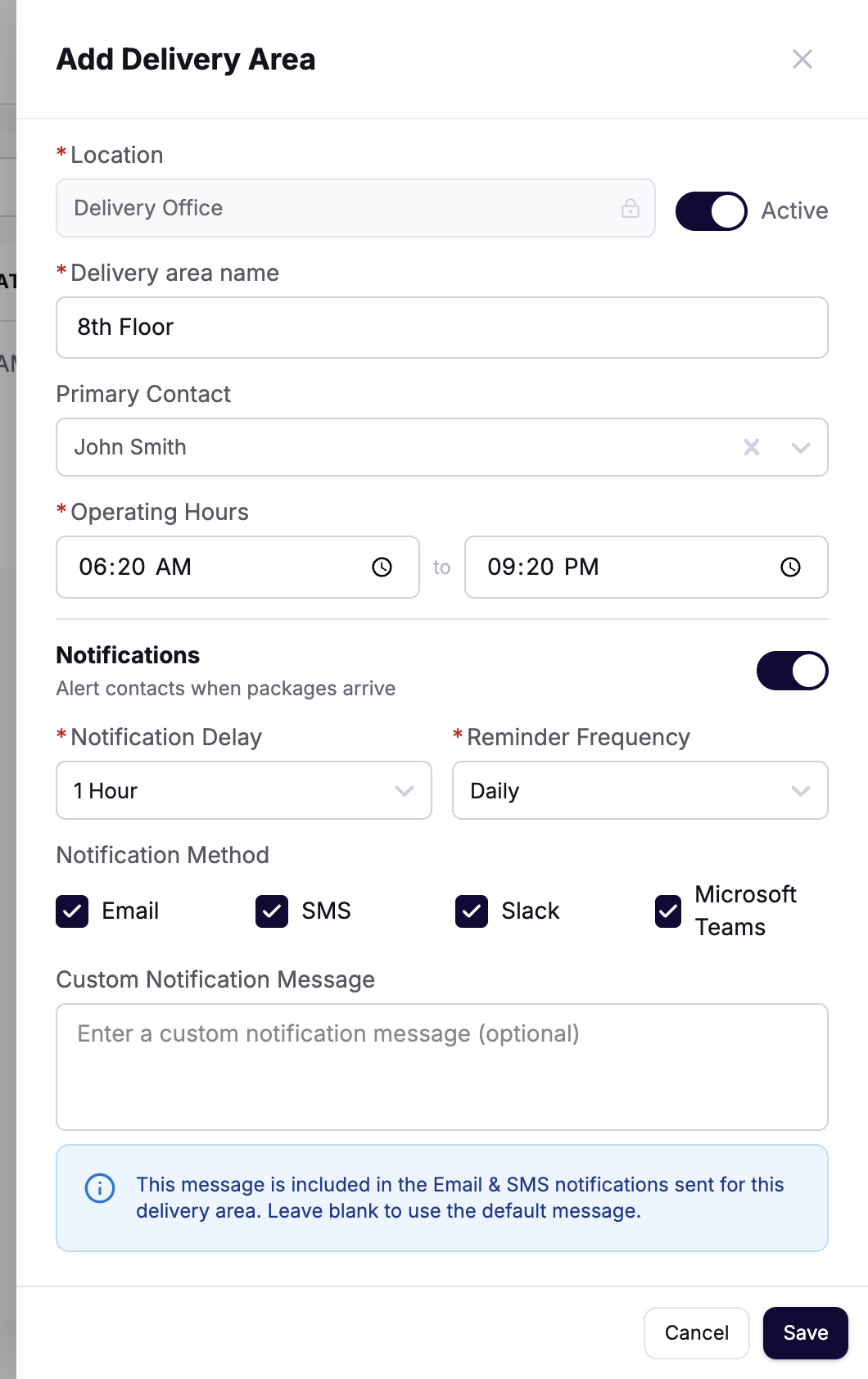
You can also update notifications or make any other adjustments as needed.
Need help? Contact the Visitly support team at support@visitly.io
Was this article helpful?
That’s Great!
Thank you for your feedback
Sorry! We couldn't be helpful
Thank you for your feedback
Feedback sent
We appreciate your effort and will try to fix the article