Visitly offers a free 14-day trial, giving you the chance to explore our key features and see how the platform works for you.
Get started in just minutes—no credit card required. Check out our pricing and plans.
Start Your Free Trial
Create a Visitly account
1. Navigate to our sign-up page.
2. Enter your name, work email, a strong password, phone number, and company name.
For a strong password, be sure to include the following:
- At least 8 characters
- At least 1 number
- At least 1 uppercase letter
- At least 1 lowercase letter
- At least 1 special character (e.g., !, @, #, $, %, ^)
Note: You can also sign in using your Google Workspace or Microsoft 365 account.
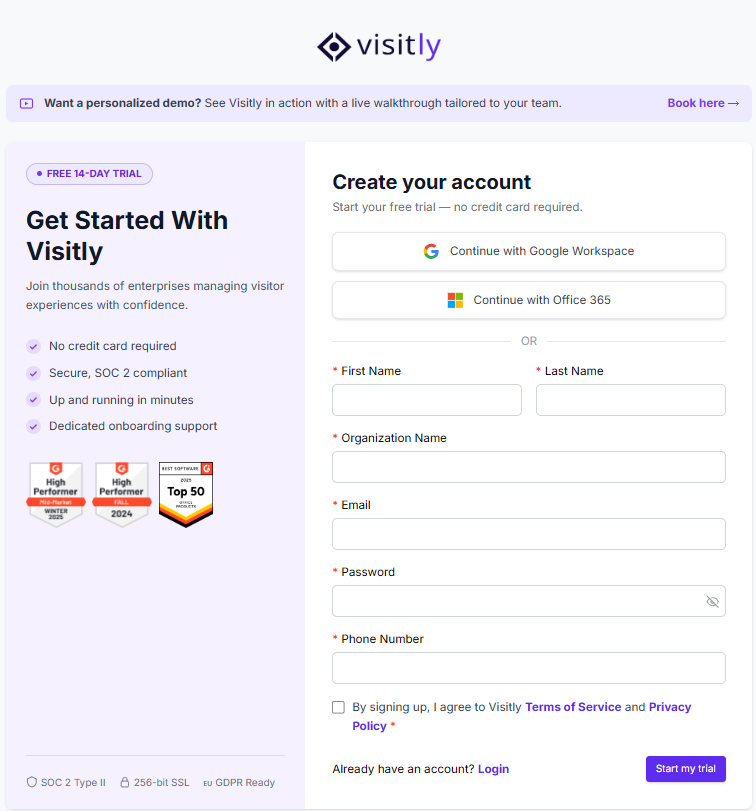
3. Agree to the Visitly's Terms of Service and Privacy Policy.
4. Click Start my trial!
5. Check your email for a verification link and click Verify your email.
6. After verification, log in at Visitly.io to complete your account setup.
Getting Started with Your Visitly Trial
Once you've verified your email and logged in, Visitly will walk you through a quick personalized setup to tailor your experience.
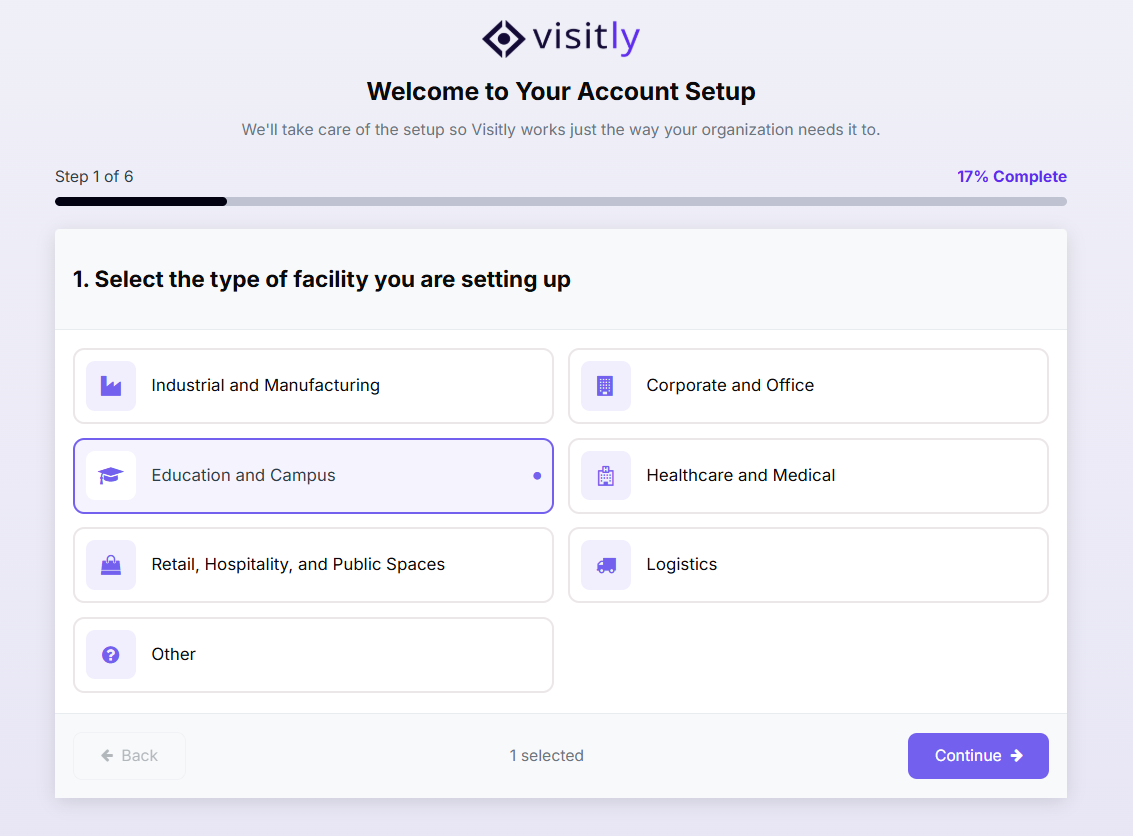
Your Personalized Setup
1. Select your industry — Choose the industry that best describes your business.
2. Enter your number of locations and employees — This helps us configure the right defaults for your account.
3. Choose your visitor types — Select the types of visitors you typically welcome (e.g. employees, contractors, guests, delivery drivers). You can select multiple.
4. Tell us what you'll use Visitly for — Pick your primary use case so we can highlight the most relevant features.
5. Add your iPad Kiosk — Scan the QR code with your iPad to instantly connect your kiosk to your location.
6. Confirm your setup — Your trial is now ready!
What You'll See After Setup
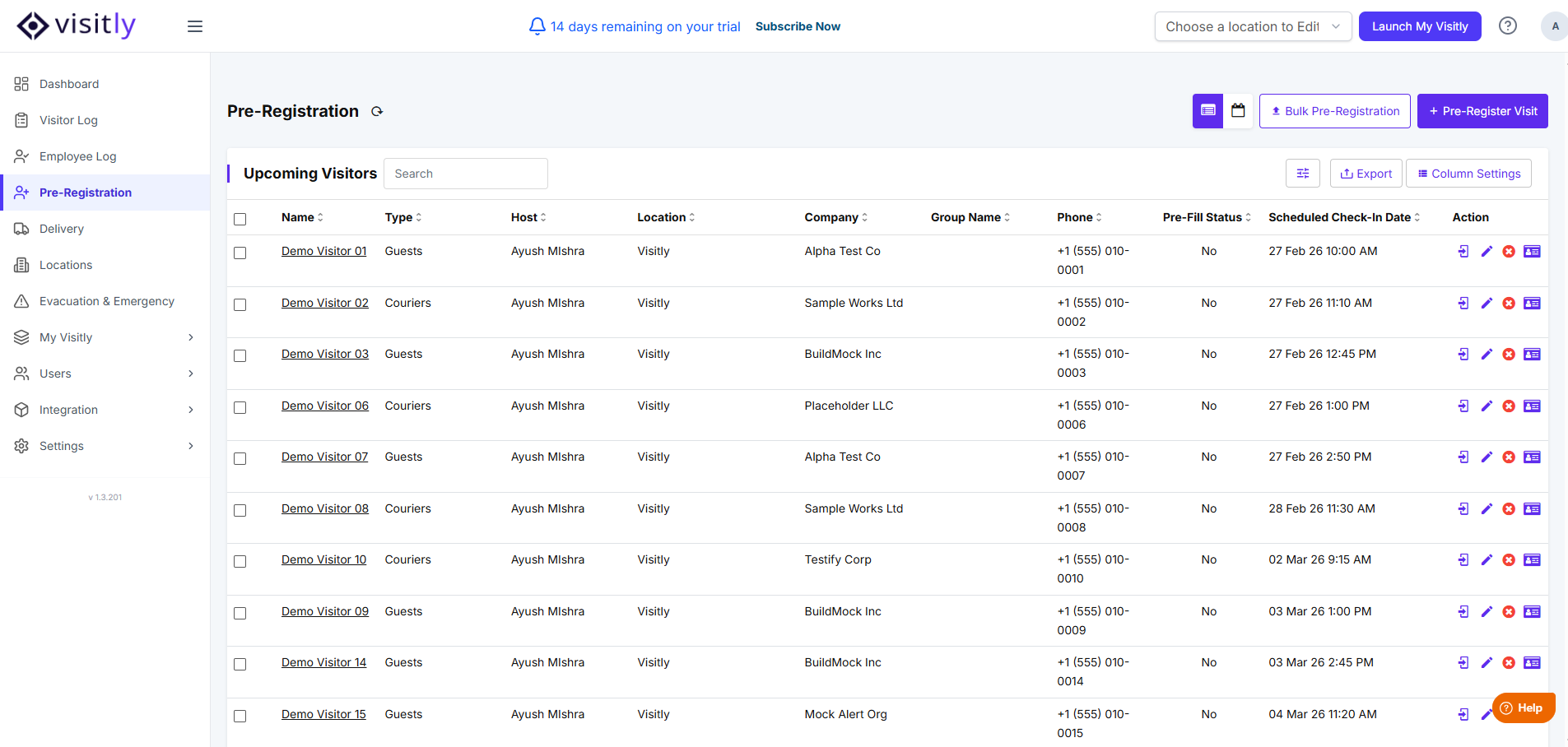
Your account comes pre-loaded with demo data so you can explore right away — no manual entry needed:
Visitor Log — Sample check-ins so you can see how visits appear in real time.
Pre-Registration List — Demo pre-registered visitors to explore the invite flow.
Documents — Example documents in your Location Settings, already linked to your visitor types.
For a personalized walkthrough with our team, visit our demo page. For any questions about your trial account, feel free to contact us.
Was this article helpful?
That’s Great!
Thank you for your feedback
Sorry! We couldn't be helpful
Thank you for your feedback
Feedback sent
We appreciate your effort and will try to fix the article