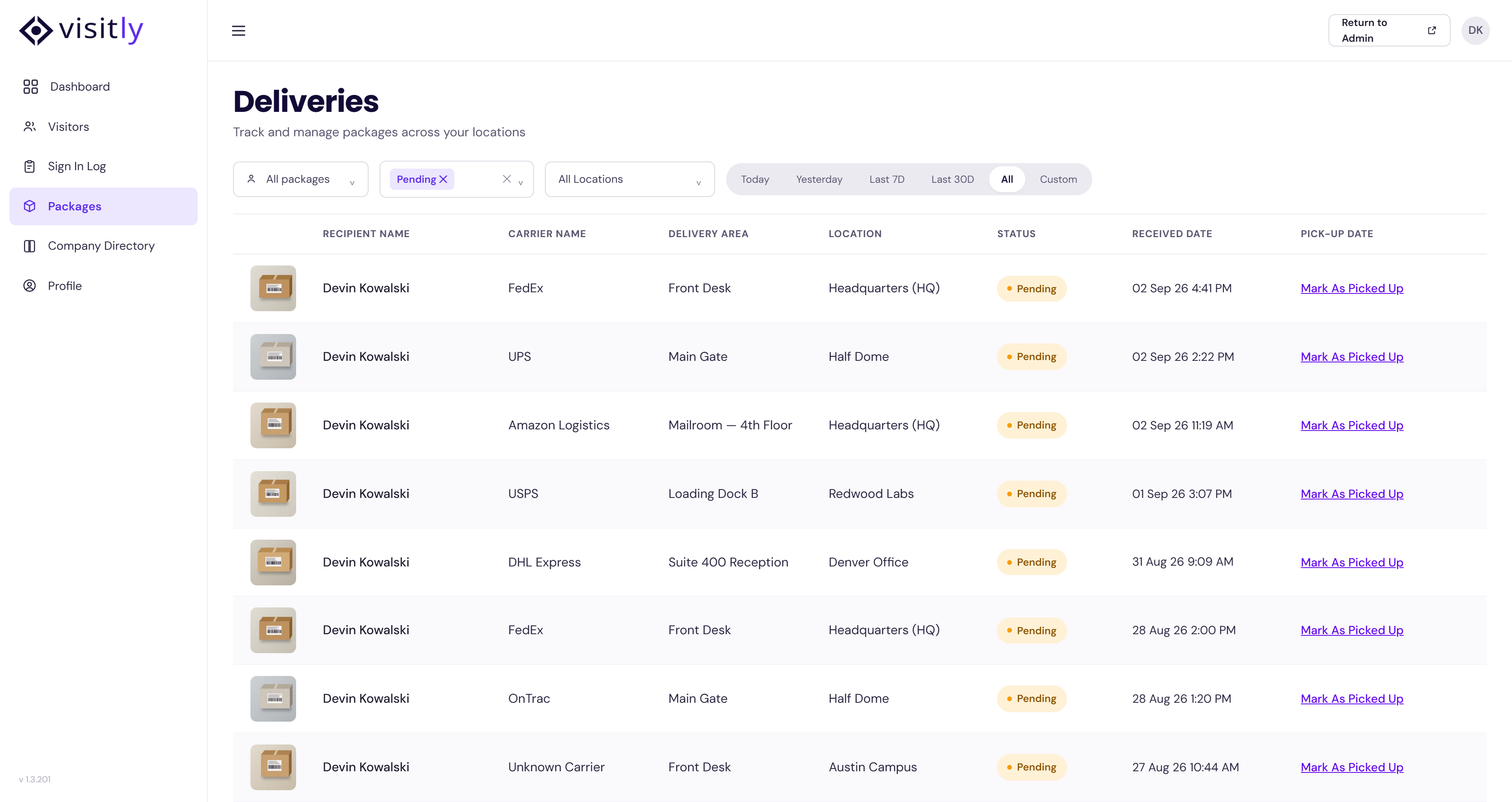
My Deliveries allows you to view and manage packages assigned to you. The location of this feature will depend on your role in Visitly:
- Hosts/Employees – Available from the Visitly Dashboard under the My Deliveries tab.
- Admins – Available from the Visitly Dashboard under the My Visitly section, then select the My Deliveries tab.
If you are also set up as a Delegate for another Host, you will see their deliveries listed as well, making it easy to manage them on their behalf.
Accessing My Deliveries
For Hosts/Employees
- Log in to your Visitly Dashboard.
- Click the My Deliveries tab in the top navigation.
- View all deliveries assigned to you, as well as those for any Host you are a Delegate for.
For Admins
- Log in to your Visitly Dashboard.
- Go to the My Visitly section.
- Select the My Deliveries tab.
- View all deliveries assigned under your account or those you are delegated to manage
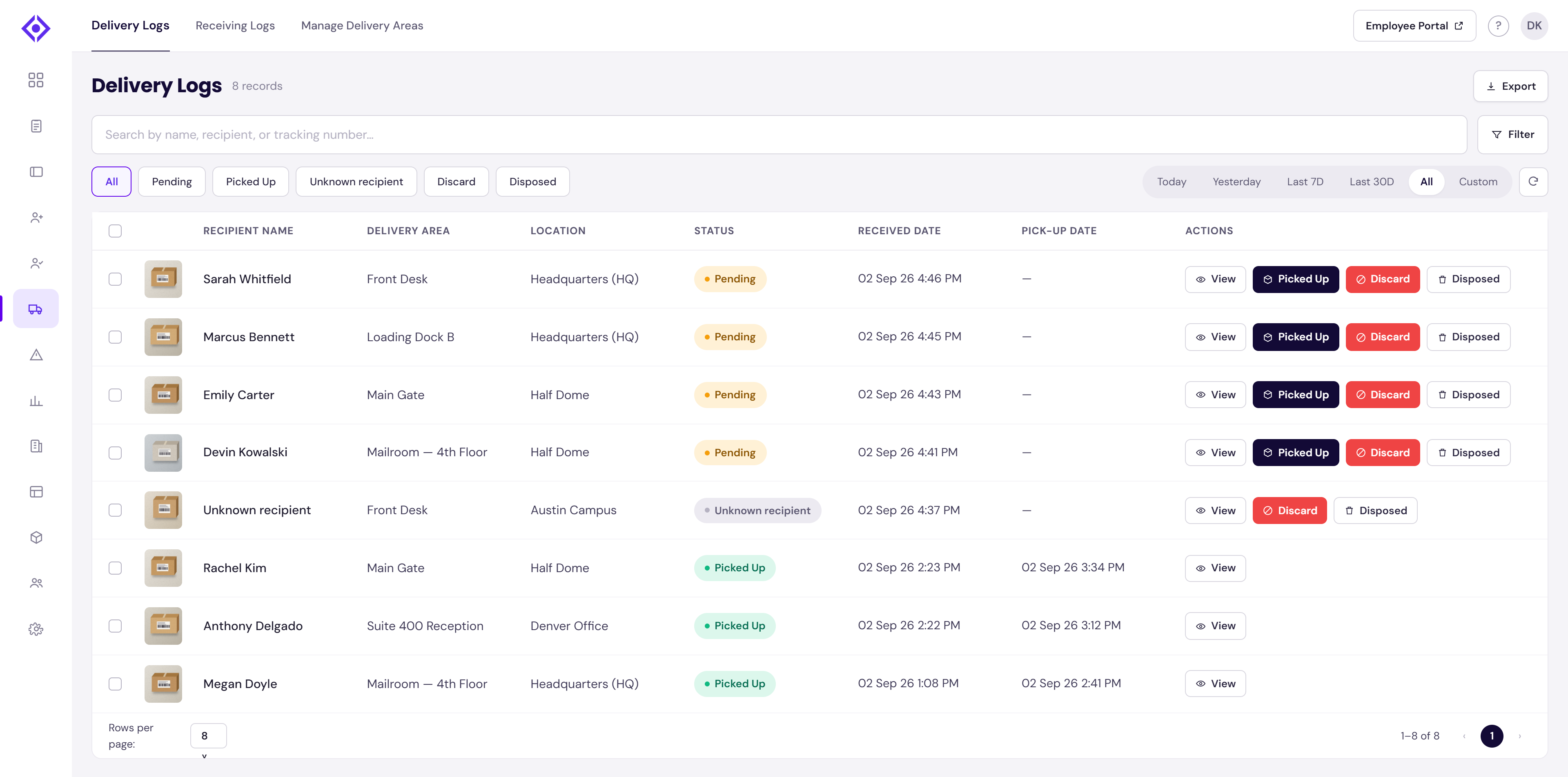
Actions You Can Take
For each delivery, you can update the status using the following options:- Picked Up
1. Select when you collect your delivery.
2. The system updates the status to Picked Up and records the date and time. - Discard (admin)
1.Use if you no longer wish to keep the delivery.
2. The system updates the status to Discarded.
- Disposed
1. Use once a discarded package has been physically disposed of.
2. The system updates the status to Disposed.
1. Select when you collect your delivery.
2. The system updates the status to Picked Up and records the date and time.
1.Use if you no longer wish to keep the delivery.
2. The system updates the status to Discarded.
1. Use once a discarded package has been physically disposed of.
2. The system updates the status to Disposed.
Example
When you log in, you might see the following:
- A package correctly assigned to you → mark as Picked Up.
- A package still awaiting collection → status shows Pending.
- A package you no longer need → mark as Discard.
- A package with no matching recipient → status shows Unknown recipient (admin can Discard, then mark Disposed).
Tip: Regularly checking your My Deliveries tab ensures you don’t miss a package and helps keep your delivery records accurate.
Need help? Contact the Visitly support team at support@visitly.io
Was this article helpful?
That’s Great!
Thank you for your feedback
Sorry! We couldn't be helpful
Thank you for your feedback
Feedback sent
We appreciate your effort and will try to fix the article